Decision guide
Decision shortcuts before the deep dive.
Use these three checks to keep the article useful instead of turning into another tab graveyard.
Start here
Pick by golfer problem
Match the recommendation to the miss you are actually trying to fix: budget, forgiveness, distance, walking comfort, or setup friction.
Trust check
Read the tradeoffs first
Bogeylicious should surface the “don’t buy this if…” caveat before the retailer click, even when the pick is solid.
Next click
Compare the closest alternatives
When the article puts you in shopping mode, the next module should help you compare or save the decision — not just dump more links.
Browse Launch Monitor Comparisons →Best Indoor Golf Simulators 2026: Pick by Budget, Space, and Goal
Before you compare launch monitors, projectors, and software, answer three questions: how much room do you really have, how much do you want to spend all-in, and are you practicing seriously or just trying to play Pebble Beach in January?
That matters because “best indoor golf simulator” does not mean one product. For one golfer it is a $700 Garmin R10, a net, and a mat in the garage. For another it is a $3,000 SkyTrak+ package in a spare room. For the golfer building a permanent room, it may be an overhead Uneekor QED setup with a projector, impact screen, enclosure, and GSPro.
Refresh note (July 20, 2026): We repaired broken retailer paths for SkyTrak+, Rapsodo MLM2 Pro, and Full Swing KIT by moving those clicks to live direct retailer/manufacturer destinations. The room-first shortlist remains unchanged; confirm live price, availability, return terms, and software subscriptions at the retailer/manufacturer before buying.
If you are trying to decide quickly, use this guide by budget and use case:
- Budget garage: Garmin R10, net, and mat for roughly $700-$1,200 all-in.
- Serious practice: Mevo Plus if you have enough radar depth and want indoor/outdoor use.
- Short indoor room: SkyTrak+ because camera tracking is easier to fit indoors.
- Permanent bay: Uneekor or another overhead unit once the room, ceiling, and screen plan are settled.
Start with the fit: room, budget, and practice goal
Open this only if you are still undecided. A launch monitor that fits your room beats a “better” box that needs more radar depth, ceiling height, or projector budget than you actually have.
- Under $1,200 all-in: start with the Garmin R10, a net, and a mat.
- Deeper garage or mixed indoor/outdoor use: compare up to FlightScope Mevo Plus.
- Short dedicated indoor room: lean camera-first with SkyTrak+.
| If this sounds like you... | Start here | Realistic all-in cost | Why |
|---|---|---|---|
| You want the cheapest setup that still gives useful numbers | Garmin R10 + net + mat | $700-$1,200 | Best low-risk way to prove you will use a simulator |
| You want video proof before committing to a room | Rapsodo MLM2 Pro | $700-$1,200 | Best bridge if you want swing video and range confidence before a projector build |
| You want a serious practice setup without a permanent room | FlightScope Mevo Plus | $2,000-$4,000 | Better data confidence, portable indoor/outdoor use |
| You only care about indoor accuracy in a short room | SkyTrak+ | $2,500-$5,000 | Camera-based tracking is easier indoors than radar |
| You are building a dedicated simulator bay | Uneekor QED / overhead unit | $8,000-$15,000+ | Clean hitting area, permanent setup, stronger immersion |
| You live in an apartment or tight space | Foam balls, compact net, launch monitor app | $500-$1,000 | Keeps noise and space risk lower, but limits realism |
The buy-order rule: measure the room first, choose the launch monitor second, then add the screen/projector/software. Most expensive simulator regrets happen when golfers buy entertainment features before confirming ceiling height, hitting depth, lighting, and strike safety. If your room is under 16 feet deep, treat every radar unit as a “measure twice” purchase; camera-based units beside the ball are usually easier to fit indoors.
💡 Building a simulator on a budget (under $2,000 or $5,000)? Check our constantly updated Budget Sim Watch and affordable home golf simulator guide for current deal paths and cheaper launch-monitor setups.
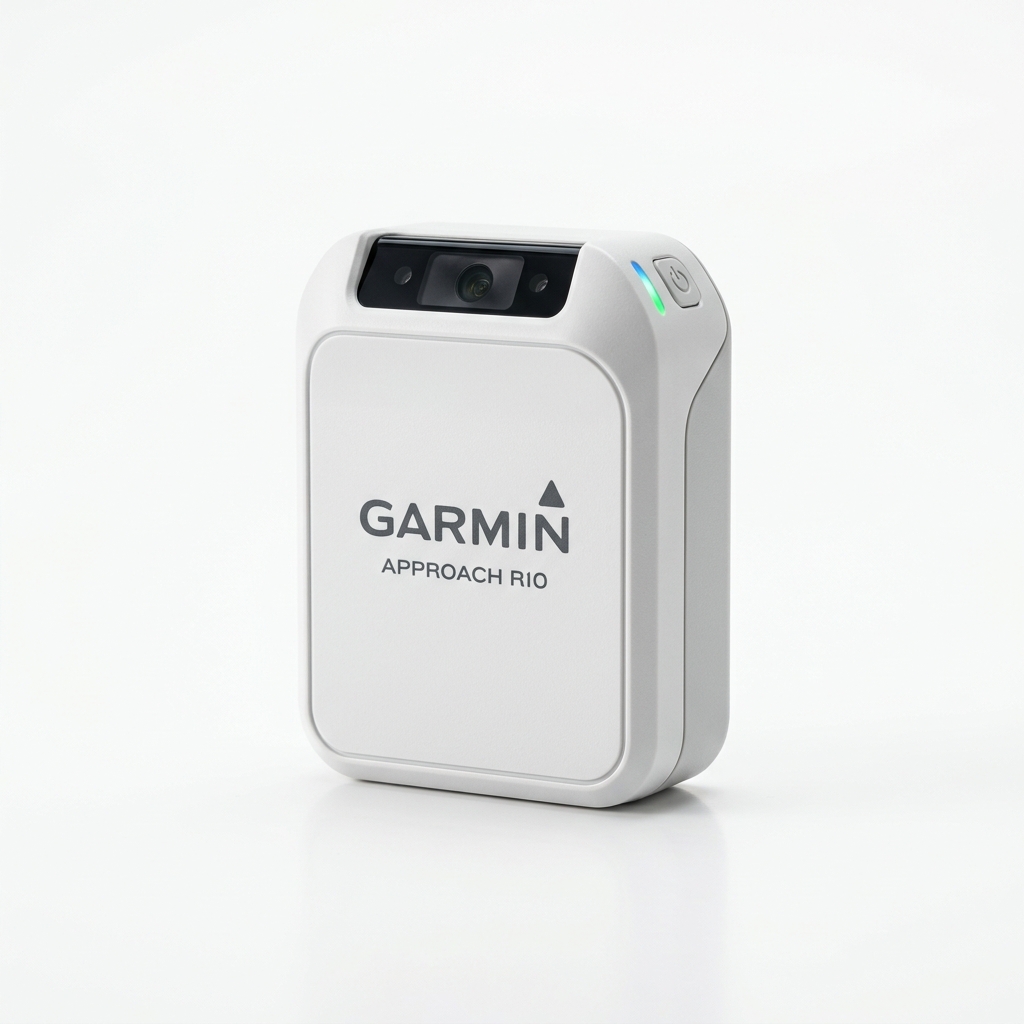 Budget starter
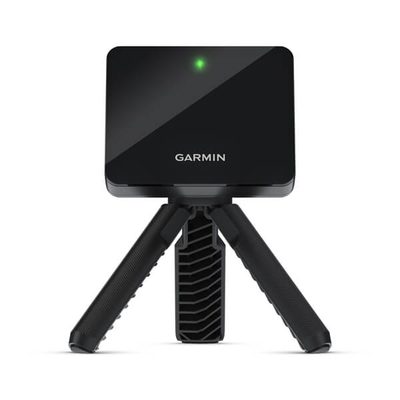
Garmin Approach R10
Best low-risk net + mat setup.
Room fit: budget garage with clear radar depth.
Sponsored retailer link · opens in a new tab
Check live price
Budget starter
Garmin Approach R10
Best low-risk net + mat setup.
Room fit: budget garage with clear radar depth.
Sponsored retailer link · opens in a new tab
Check live price
 Video-first range bridge
Rapsodo MLM2 Pro
Best if you want shot video and range proof before committing to a full room.
Room fit: range-first proof, then net or screen.
Manufacturer link · opens in a new tab
Check live price
Video-first range bridge
Rapsodo MLM2 Pro
Best if you want shot video and range proof before committing to a full room.
Room fit: range-first proof, then net or screen.
Manufacturer link · opens in a new tab
Check live price
 Serious portable
FlightScope Mevo Plus
Better data and indoor/outdoor flexibility.
Room fit: deeper garage or basement preferred.
Sponsored retailer link · opens in a new tab
Check live price
Serious portable
FlightScope Mevo Plus
Better data and indoor/outdoor flexibility.
Room fit: deeper garage or basement preferred.
Sponsored retailer link · opens in a new tab
Check live price
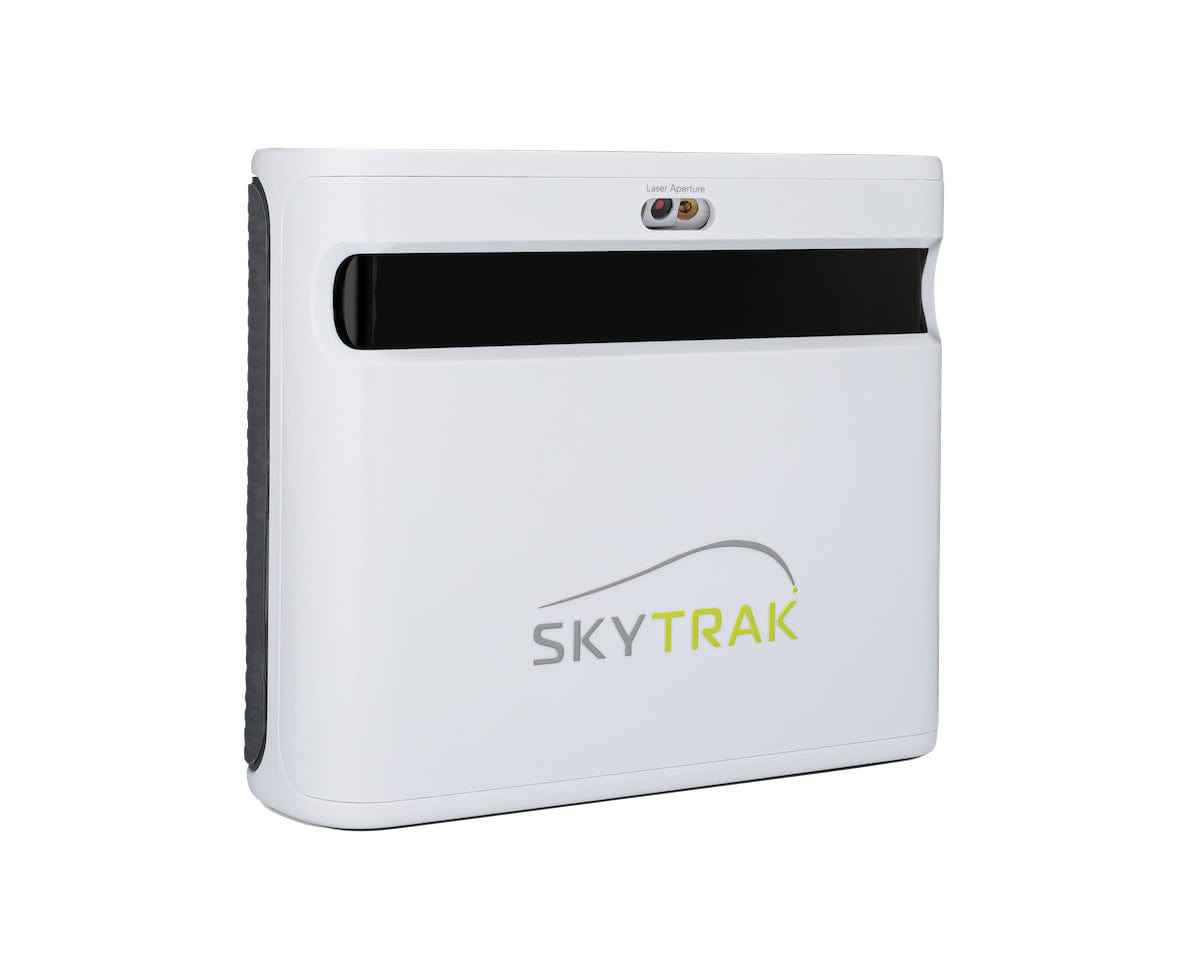 Indoor room pick
SkyTrak+
Camera-based tracking for shorter rooms.
Room fit: shorter indoor room where radar is tight.
Retailer link · opens in a new tab
Check live price
Indoor room pick
SkyTrak+
Camera-based tracking for shorter rooms.
Room fit: shorter indoor room where radar is tight.
Retailer link · opens in a new tab
Check live price
 Premium portable
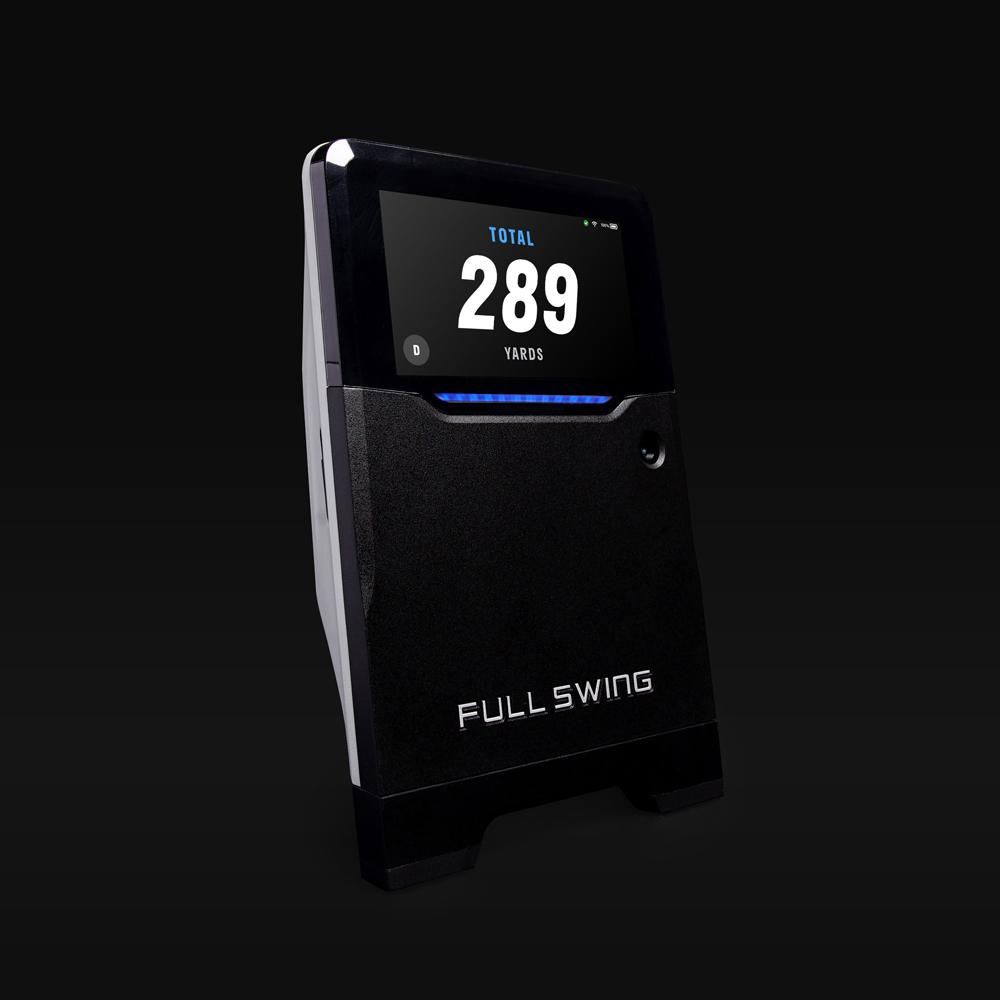
Full Swing KIT
Tour-name radar/infrared tracking without a ceiling mount.
Room fit: premium portable only after depth check.
Manufacturer link · opens in a new tab
Check live price
Premium portable
Full Swing KIT
Tour-name radar/infrared tracking without a ceiling mount.
Room fit: premium portable only after depth check.
Manufacturer link · opens in a new tab
Check live price
 Permanent bay
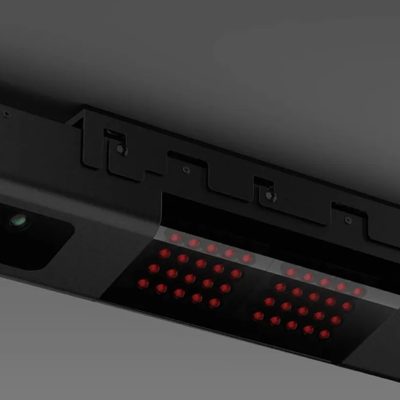
Uneekor QED
Overhead camera setup for dedicated rooms after the ceiling mount is confirmed.
Room fit: dedicated ceiling mount and fixed bay.
Manufacturer link · opens in a new tab
View manufacturer
Garage net starter
Garmin Approach R10
Budget radar unit; plan enough ball flight behind the mat and in front of the net.
Serious portable
FlightScope Mevo Plus
Radar upgrade for golfers with enough indoor depth who still want outdoor range portability.
Short indoor room
SkyTrak+
Camera-based ball capture keeps the unit beside the ball when radar depth is tight.
Permanent bay
Uneekor QED
Overhead mount clears the hitting area, but requires a dedicated ceiling install.
Permanent bay
Uneekor QED
Overhead camera setup for dedicated rooms after the ceiling mount is confirmed.
Room fit: dedicated ceiling mount and fixed bay.
Manufacturer link · opens in a new tab
View manufacturer
Garage net starter
Garmin Approach R10
Budget radar unit; plan enough ball flight behind the mat and in front of the net.
Serious portable
FlightScope Mevo Plus
Radar upgrade for golfers with enough indoor depth who still want outdoor range portability.
Short indoor room
SkyTrak+
Camera-based ball capture keeps the unit beside the ball when radar depth is tight.
Permanent bay
Uneekor QED
Overhead mount clears the hitting area, but requires a dedicated ceiling install.
Quick Verdict: Which Indoor Simulator Setup Should You Buy?
If you're deciding quickly: Garmin R10 for budget entry, FlightScope Mevo Plus for the best all-around serious setup, SkyTrak+ for dedicated indoor rooms.
- Buy Garmin R10 if budget is tight, you can hit into a net, and you want legit feedback under $1,000 total setup.
- Buy Mevo Plus if you want meaningfully better consistency, outdoor range portability, and room to grow into GSPro or E6 Connect.
- Buy SkyTrak+ if your setup is mostly indoor, your room is shorter, and you value camera-based ball data over portability.
- Buy Uneekor QED if you are building a permanent bay and want the launch monitor out of the hitting area.
For the launch-monitor-only side of the decision, also read the Best Launch Monitors 2026 buyer's guide or use the Launch Monitor Comparison Tool.
Simulator Decision Matrix
| Setup path | Best for | Avoid if | Minimum room reality |
|---|---|---|---|
| Garmin R10 + net | Budget garage golfers | You demand premium spin accuracy | Needs enough ball flight for radar |
| Mevo Plus + net/screen | Serious practice + portability | Your indoor space is very short | Better with deeper garage/basement space |
| SkyTrak+ + screen | Dedicated indoor practice | You want to take it outside often | Works well in shorter indoor rooms |
| Uneekor QED overhead | Permanent premium bay | You rent or need portability | Needs ceiling mount + dedicated hitting zone |
Budget garage
Garmin R10
Click if you can give radar enough depth behind the ball and want the cheapest proof-of-habit setup.
Check live price
Video proof bridge
Rapsodo MLM2 Pro
Click if you want range video and net-practice confidence before buying a projector or permanent enclosure.
Check live price
Serious practice
Mevo Plus
Click if you have deeper indoor space and want one unit for garage sessions and outdoor range work.
Check live price
Short indoor room
SkyTrak+
Click if camera-based ball capture solves your room-depth problem better than radar.
Check live price
Permanent bay
Uneekor QED
Click only after you have confirmed ceiling mounting, alignment space, and a dedicated hitting zone.
View manufacturer
Who Should Buy Which
Buy Garmin R10 if you are...
- New to sim golf and validating whether you'll actually use it
- Comfortable with occasional spin quirks for huge savings
- Building a portable setup (net + mat + tablet)
Buy Mevo Plus if you are...
- Practicing seriously and want tighter data confidence
- Planning to use software like GSPro long-term
- Split between indoor winter use and outdoor range sessions
Consider Rapsodo MLM2 Pro if you are...
Quick link: Rapsodo MLM2 Pro direct
Why it fits: The Rapsodo MLM2 Pro is the cleanest bridge between range practice and a first home net because the video replay makes every shot easier to trust before you spend on a screen, projector, or permanent enclosure.
- Video-checking swing and ball flight before you commit to a permanent simulator room
- Mostly practicing at the range, then bringing the same habits into a net setup at home
- Comfortable treating it as a bridge product rather than the final launch monitor for a dedicated bay
Buy Now + Affiliate Picks
Use these as checkout handoffs after you have matched the unit to your room:
- Garmin Approach R10 — best first simulator purchase if you are proving the habit with a garage net and mat.
- Rapsodo MLM2 Pro — the video-first bridge if you want range proof before you build a room.
- FlightScope Mevo Plus — the safer upgrade if you want better data and still need range portability.
- SkyTrak+ — the cleaner dedicated-room choice when indoor camera tracking matters more than outdoor portability.
- Uneekor QED — the permanent bay pick; confirm ceiling mount, install path, and ball-marking requirements before you commit.
- Full Swing KIT — premium portable option if you want range/sim flexibility and can justify the higher spend.
Budget garage
Garmin R10
Click only after you have a net, mat, and enough radar depth behind the ball.
Check live price
Deeper practice bay
FlightScope Mevo Plus
Click if you want indoor/outdoor portability and your room is not too short for radar.
Check live price
Short indoor room
SkyTrak+
Click if camera tracking solves the depth problem better than a radar unit.
Check live price
Related Comparisons and Tools
- Best Launch Monitors 2026: Complete Buyer's Guide
- Launch Monitor Comparison Tool
- Launch Monitor Buyer Checklist
- How to Practice Golf at Home
- Best Drivers for High Handicappers
Before you buy: run our Launch Monitor Buyer Checklist 2026 to avoid the expensive mistakes most golfers make.
Fast-Track Your Simulator Decision
If you want to decide in the next 10 minutes:
- Shop Garmin R10 (budget winner)
- Shop FlightScope Mevo Plus (best all-around)
- Shop SkyTrak+ (short-room indoor pick)
- Compare launch monitors side-by-side
- Read the launch monitor buyer checklist before you pay
Also worth a quick look before checkout: Compare.Bogeylicious launch monitor matchups.
What Makes a Home Golf Simulator Different
Before you start pricing out projectors and impact screens, you need to understand what you're actually buying. A golf simulator setup has three core components:
The launch monitor. This is the brain. It tracks your ball speed, launch angle, spin, and club data. This is where 80% of your budget should go. A great launch monitor with a cheap net beats a mediocre launch monitor with a $3,000 screen every time.
The hitting environment. Net, screen, or projector setup. Budget players hit into a net and watch data on a tablet. Mid-range players project onto a screen. Premium players build a whole room around it. All of these work — the question is how immersive you want the experience.
The software. E6 Connect, GSPro, TGC 2019, and others. This is what turns your launch data into playable virtual golf. Some are included free, some cost $250+/year. GSPro ($250 one-time) has become the community favorite for its value and course library. E6 is the polished option. TGC 2019 has the best graphics.
Space requirements. You need a minimum of 10 feet from ball to screen/net, 9-foot ceilings (10 is better — you'll hit the ceiling with your driver if it's 8), and enough width to swing freely. A standard two-car garage works. A spare bedroom usually doesn't unless you're only hitting wedges.
The Picks
1. Garmin Approach R10 — Best Budget Entry
Quick link: Garmin Approach R10 on Amazon
Why it wins: At ~$600, the Garmin R10 is the entry point that actually works. It's the gateway drug to indoor golf. Pair it with a $200-400 net and mat setup and you're playing virtual golf in your garage for under a grand.
What matters: The Garmin R10 uses Doppler radar to track ball and club metrics. Ball speed, launch angle, spin rate, carry distance, club path, face angle — it gives you more data than most weekend golfers know what to do with, providing a solid foundation for analytical game improvement. Connects to the Garmin Golf app on your phone or tablet, where you can play over 43,000 virtual courses and review your stats.
The real story: Is it as accurate as a $5K launch monitor? No. Spin readings can be inconsistent, especially with wedges. But here's what people miss — for the golfer going from zero data to some data, the R10 is transformational. You'll learn more about your swing in a month with the Garmin R10 than in a year of range sessions. The indoor experience works best with metallic sticker balls (RCT technology) for better spin tracking. Add a net, a hitting mat, and you're in business for January golf.
What you need with it: Net ($100-200), hitting mat ($100-300), tablet or phone, and ideally a GSPro subscription ($250 one-time) if you want the full simulator experience on a computer.
Price: ~$600
2. FlightScope Mevo Plus — Best Mid-Range All-Rounder
Quick link: FlightScope Mevo Plus on Amazon
Why it wins: The Mevo Plus (and its successor, the Mevo Gen 2) hits the sweet spot where serious accuracy meets reasonable pricing. For ~$2,000, you get radar-based tracking that's legitimately close to tour-level devices in terms of ball data accuracy.
What matters: 3D Doppler radar tracks 16+ ball and club metrics directly — no stickers, no metallic balls, no workarounds. Works indoor and outdoor without adjustment. The fusion tracking combines radar data with normative modeling to fill gaps that pure radar can miss. Club data is genuinely useful for in-depth analytical review: path, face angle, dynamic loft, attack angle.
The real story: The Mevo Plus has been the r/golf community darling for years, and for good reason. It does everything the Garmin R10 does but significantly better — more consistent spin numbers, better club data, more reliable readings shot-to-shot. The Gen 2 adds USB-C and double the battery life. Either version is an excellent buy. This is the launch monitor where you stop making excuses about accuracy and start making excuses about your swing.
Software compatibility: E6 Connect, GSPro, TGC 2019, Creative Golf 3D, Awesome Golf. The FlightScope app itself is solid for range sessions.
Price: ~$2,000 (Mevo Plus) / ~$2,000 (Gen 2)
3. SkyTrak+ — Best for Dedicated Indoor Setup
Quick link: SkyTrak+ at Indoor Golf Shop
Why it wins: The SkyTrak+ is the upgraded version of the original SkyTrak that owned the mid-range market for years. Photometric (camera-based) technology means it reads the ball at impact with high-speed cameras — which tends to be more accurate indoors than radar-based units that need ball flight distance.
What matters: Dual high-speed cameras capture the ball at launch for extremely precise ball data, which translates directly into accurate analytical insights. Ball speed accuracy within 1%. Spin accuracy that rivals units costing three times as much. Added club data that the original SkyTrak lacked is crucial for detailed analytical breakdowns. WiFi connectivity (the original needed a cable, which was annoying). Works on Mac and PC — one of the few in this range that doesn't require Windows.
The real story: If your primary use case is indoor — dedicated simulator room, permanent screen setup, you're not hauling this to the range — the SkyTrak+ is arguably better than the Mevo Plus for pure ball data accuracy. Camera-based systems just work better in short indoor spaces where radar units can struggle. The trade-off: it's not as portable, and outdoor use is more finicky (direct sunlight can affect the cameras). The software ecosystem is excellent, with direct integration to E6 Connect, GSPro, TGC 2019, and WGT.
Price: ~$2,995 (clearance pricing $1,995–$2,495 while stock lasts)
→ Deep dive: SkyTrak+ Review 2026 — setup costs, space requirements, and the clearance deal
Check Price at Indoor Golf Shop
4. Uneekor QED — Best Overhead Premium Setup
Why it wins: The Uneekor QED changes the game by mounting overhead — ceiling-mounted, looking down at impact. This means no device sitting behind the ball, no line-of-sight issues, and the most natural hitting experience of any launch monitor. You just step up and swing. Like a real golf shot.
What matters: Dual high-speed cameras capture both ball and club at impact from above. Full club data — face angle, path, dynamic loft, speed — included at no additional subscription cost, offering unparalleled analytical depth. That last part is huge. Most competitors charge extra for club data. Uneekor gives it to you out of the box. Putting analysis is included too. The Uneekor QED requires marked balls (stickered), but the data quality is exceptional.
The real story: The Uneekor QED is the entry point to "serious" home simulator territory. The overhead design means your hitting area stays clean — no tripod to trip over, no device to worry about shanking a ball into. Once it's installed, you forget it's there. The downside: it's a permanent installation. You need ceiling mounting, proper alignment, and a dedicated space. This isn't something you set up and tear down. But if you're building a simulator room in your basement or garage, the QED is the monitor to build around. Software includes Uneekor's own suite plus GSPro, E6, TGC, and more.
Price: ~$5,000
5. Full Swing KIT — The Tiger Woods Pick
Why it wins: Tiger Woods uses Full Swing. That's the marketing pitch, and honestly, it works. But the KIT earns its spot on merit — it's one of the only consumer launch monitors that uses both radar AND infrared optical sensors simultaneously. Dual-technology tracking means you get the best of both worlds.
What matters: The Full Swing KIT combines 3D Doppler radar with infrared light-bar sensors for what Full Swing calls "fusion tracking." Ball data from optical. Club data from radar. The result is comprehensive, accurate readings that don't require metallic balls or stickers, ideal for detailed analytical review. Sixteen data points per swing. Works indoors and outdoors seamlessly.
The real story: Full Swing made their name with commercial simulator installations in country clubs and tour vans. The Full Swing KIT is their consumer play, and it shows — the build quality is premium, the software integration is smooth, and the data is reliable. The criticism? At ~$4,000-5,000, it's priced in SkyTrak+ territory but competes more with the Uneekor QED in terms of data quality. Some users report the app experience isn't as polished as FlightScope or SkyTrak. But if you want the "tour approved" pedigree and genuinely excellent tracking, it delivers.
Price: ~$4,000-5,000
6. Foresight GCQuad — The No-Compromise Option
Why it wins: The Foresight GCQuad is the launch monitor that PGA Tour fitters, club manufacturers, and teaching pros use as their reference standard. When Titleist tests a new ball, they use Foresight. When a Tour player gets fitted, there's a Foresight GCQuad in the room. If you want the absolute best data available in a portable form factor, this is it.
What matters: Quadrascopic camera system — four high-speed cameras capture every detail of ball and club interaction at impact, providing analytical precision that is essentially the gold standard of the industry. Ball data accuracy is essentially the gold standard of the industry. Club data is equally comprehensive. No metallic balls needed, no stickers, no fuss. Works flawlessly indoors with zero calibration issues. The putting analysis is the best in the business, offering deep insights into your short game.
The real story: The Foresight GCQuad costs as much as a used car. Let's just acknowledge that. At ~$14,000-15,000, this is for the golfer who has already built the room, already has the screen and projector, and wants the absolute best launch monitor money can buy without going to a $25K overhead Trackman. Is it twice as good as a SkyTrak+ at five times the price? No. But it is measurably, consistently more accurate — and for players who use data to make real swing changes, that precision matters. If you're spending $15K on a launch monitor, you already know you want this. I'm just here to tell you it's worth it.
Price: ~$14,000-15,000
The Software Question
Your launch monitor is only as good as the software running it, especially when it comes to leveraging data for game improvement. For a deeper dive into how software can transform your practice, read our guide to the Best Golf Analytics Software. Here's a quick breakdown of the most popular simulation and analytics platforms:
- GSPro ($250 one-time): Community favorite. 200,000+ courses. Solid graphics. Works with most launch monitors. Best value by far for both immersive play and analytical feedback.
- E6 Connect ($300/year or included with some monitors): Polished, pretty, and widely compatible. The "safe" choice for a balanced experience of virtual golf and analytical reports.
- TGC 2019 ($895 one-time): Best graphics in the game. Huge course library. Premium price, premium experience. Provides a realistic environment to test and analyze your game.
- Awesome Golf (free tier available): Newer entrant, improving fast. Good for casual play and offers foundational analytical insights.
Most serious sim golfers end up on GSPro. The course library is absurd, the community is active, and you pay once.
Building Your Setup: The Other Stuff
The launch monitor gets all the attention, but the surrounding setup matters too:
- Impact screen ($200-800): Carl's Place is the gold standard for DIY. Commercial-grade screens from HomeCourse or AllSportSystems work for permanent installs. Indoor Golf Shop also carries full enclosure kits and is one of the best sources for package deals on screens, nets, and mats together.
- Projector ($300-1,500): Short-throw projectors work best. You need at least 3,000 lumens. The Optoma GT1090HDR is the sim community favorite.
- Hitting mat ($100-500): Don't cheap out here. A bad mat will hurt your joints. Fiberbuilt is the premium choice. Country Club Elite is excellent for the price.
- Netting/enclosure ($100-500): Side netting and simulator enclosure kits catch shanks. Trust me, you'll need it. Your drywall will thank you.
- Push cart (for when you actually do play outside): If your sim habit is bleeding into real-course play, an Alphard Golf push cart is the upgrade most golfers sleep on — lightweight, stable, and priced below the premium cart brands.
Club upgrade worth knowing: If your swing is dialed in from sim reps but your equipment isn't keeping up, Breakthrough Golf Technology makes premium carbon fiber composite shafts that can translate simulator speed gains into real-course performance gains. The previous affiliate destination was removed after the July audit because a live purchasable URL could not be verified.
FAQ
What's the minimum ceiling height for a golf simulator?
Nine feet is the minimum for most golfers. Ten feet is comfortable. Eight feet works if you're under 5'10" and choke down on your driver, but you'll be paranoid about ceiling strikes every swing. Not fun.
Can I use a golf simulator in an apartment?
Technically yes with a net setup and a launch monitor — no projector needed. But you'll be limited to data-only practice and virtual play on a tablet/computer. And your downstairs neighbor will hear every impact. Consider a hitting mat with built-in noise dampening.
Is a golf simulator worth it?
If you play 20+ rounds a year and live somewhere with a real winter, a simulator pays for itself in range fees and winter rust prevention within 2-3 seasons. The math works even for the $2K setups. For the $10K+ setups, it's a lifestyle purchase. You know if you want it.
Radar vs. camera — which is better for indoor use?
Camera-based (photometric) systems like SkyTrak+ and Foresight GCQuad generally perform better in short indoor spaces. Radar-based systems like FlightScope Mevo Plus and Garmin R10 can work great indoors but sometimes need metallic balls for optimal spin tracking. Both work. Camera is slightly more plug-and-play for indoor-only use.
The Bottom Line
For most golfers getting into indoor golf, the FlightScope Mevo Plus (or Gen 2) at ~$2,000 is the sweet spot. Accurate enough to trust, portable enough to take to the range in summer, and compatible with every major software platform.
If you're on a budget, the Garmin Approach R10 at $600 gets you 80% of the experience for 30% of the price. Pair it with GSPro and a decent net and you'll be playing Pebble Beach in your garage by next weekend.
If you're building a permanent sim room and money isn't the primary constraint, the Uneekor QED overhead setup is the most satisfying way to play indoor golf. Step up, swing, forget the tech exists.
And if you want the absolute best? The Foresight GCQuad is the answer. It's always been the answer. It just costs as much as the answer to "should I buy a new-to-me car?"
Whatever you choose, you're about to ruin winter for yourself in the best possible way. Welcome to the addiction. Need help deciding on the brain of your setup? Read our Complete Launch Monitor Buyer's Guide for deep-dive reviews at every price point, or use our Launch Monitor Comparison Tool to filter by budget, technology, and use case — all 13 top monitors, side-by-side. For more ways to keep your game sharp without leaving the house, check out our guide to how to practice golf at home.
Not Sure What Budget Makes Sense?
Use our Simulator Setup Finder — answer 4 questions about your space, budget, and goals, and get a personalized setup recommendation with real pricing. Takes 60 seconds.
While You're Practicing Indoors...
Make sure the clubs you're swinging are the right ones:
- Best drivers for high handicappers — our full rankings
- Best forgiving irons — game-improvement picks
- Best golf balls for distance — maximize what that launch monitor is measuring
- TaylorMade Qi10 vs Callaway Paradym Ai Smoke — the driver showdown
Make sure the driver you're swinging is the right one — our picks for the best drivers for high handicappers are a great place to start. And remember: your gear won't fix your swing — but it sure is fun to try on a simulator.
A $15,000 launch monitor in a $200,000 house with a $300 projector displaying a course you'll never afford to play in real life. That's the dream, and we're living it.
Methodology
Methodology: roundup rankings are organized around weekend-golfer reality, weighing value, forgiveness, usability, and who each option actually helps.
Last verified
July 19, 2026
Shown only when the article carries a real update timestamp.
Join the conversation
No comments yet