← Back to Blog

Best Launch Monitors 2026: Ranked for Home Use, Simulators & Real Improvement

The 7 best golf launch monitors ranked. From $200 budget picks to pro-level units — find the right one for your space, goals, and budget.

Best Launch Monitors 2026: Ranked for Home Use, Simulators & Real Improvement

Most golfers buy the wrong launch monitor. Not because they didn't do research — they probably did too much of it. They got buried in spec sheets, YouTube comparisons, and forum threads where every other post is a different answer. So they either overspend on pro-grade hardware they'll never fully use, or they cheap out on something that gives them unreliable numbers and kills their motivation.

Here's the truth: a $200 monitor with consistent, trustworthy data beats a $5,000 one you don't understand. The goal is improvement. The tool has to match how you actually use it.

This guide cuts through the noise. Seven monitors. Real talk. Pick the right one and get back to hitting balls.

💡 Looking for the absolute best value under $2,000 or $5,000? Check our constantly updated Budget Sim Watch for current deals and top recommendations for affordable launch monitors and simulator setups.

Quick Picks: Best Launch Monitors by Budget

BudgetPickBest For
💰 Under $200Rapsodo MLM2Casual improvement, video feedback
💰 ~$500Garmin Approach R10Range/backyard data, app integration
💰 ~$500FlightScope Mevo+Outdoor data, serious hobbyist
💰 ~$600Blue Tees Golf RainmakerPortable, Doppler Radar, app integration
💰 Mid-rangeRapsodo MLM2 ProClub data + video combo
💰 PremiumSkyTrak+Home simulator, serious golfer
💰 PremiumBushnell Launch ProSimulator-grade, great software
💰 Pro-levelForesight GC3Teaching, studio, accuracy obsessives

Want to run them side-by-side on specs? Compare every monitor in our tool → or see head-to-head matchups on our comparison site.

Looking for deep-dive reviews with pricing tiers, pros/cons, and a decision tree? Read the Complete Launch Monitor Buyer's Guide ($300–$15K).


The 8 Best Launch Monitors of 2026

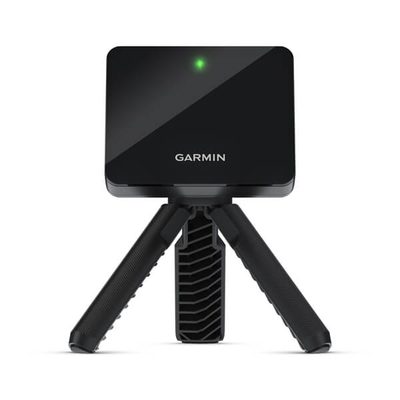
1. Garmin Approach R10 — Best All-Around Under $500

Price range: ~$500
Tech: Radar (Doppler)
Use case: Range, backyard, casual sim play

The R10 is the easiest recommendation in this space. Clip it behind the ball, pair it with the Garmin Golf app, and you've got 10+ data parameters in your pocket — ball speed, club speed, carry distance, smash factor, swing tempo, and more. Battery-powered, portable, weatherproof enough for the backyard.

The app is genuinely good. Virtual range mode gives you visual ball flight feedback. It connects to simulators via third-party integrations, though it's not the cleanest sim experience you can get.

Where it wins: Price, portability, reliability, app quality.
Where it falls short: Spin data is less precise than optical/photometric units. Indoor lighting can affect consistency.

Verdict: Best entry point for golfers who actually want to practice with data. The benchmark for under-$500.


2. Rapsodo MLM2 — Best Budget Pick

Price range: Under $200
Tech: Radar + camera combo
Use case: Range, backyard, swing feedback

The MLM2 does something no other budget monitor does: it combines radar ball tracking with video capture of your actual swing. You hit a shot, you get carry distance and ball speed and a video clip synced to the flight. That combo is powerful for self-coaching.

Data accuracy is solid for the price. You won't get spin numbers, and it needs your phone nearby (it uses the camera), but as a feedback loop tool, it punches way above its price tag.

Where it wins: Video + data combo, price, ease of use.
Where it falls short: No spin data, phone-dependent, not simulator-compatible.

Verdict: The best buy under $200, period. If you're not ready to spend $500+ but want real feedback, start here.


3. Rapsodo MLM2 Pro — Best Mid-Range Value

Price range: $500–$700
Tech: Radar + camera
Use case: Home practice, club fitting comparisons

The Pro version of the MLM2 adds club data — club speed, attack angle, and club path — alongside the video feedback that made the original great. It also expands compatibility with more simulation software options.

If you're comparing shafts, testing new irons, or trying to understand what's causing that persistent fade, the club data layer changes everything. You stop guessing and start seeing the actual cause-and-effect.

Where it wins: Club data at this price point is rare. Video is still the best in class.
Where it falls short: Still phone-dependent. Spin accuracy lags behind photometric units.

Verdict: A legitimate step up from the base MLM2 for golfers ready to get serious about their data.


4. FlightScope Mevo+ — Best for Outdoor Serious Use

Price range: $1,800–$2,200
Tech: 3D Doppler radar
Use case: Outdoor range, travel, serious practice

The Mevo+ is where casual stops and serious starts. It's a full 3D Doppler radar unit that tracks spin (with the Pro Package add-on), shot shape, and 16+ data points. FlightScope is a real launch monitor company — their tech powers fitting bays worldwide.

The Mevo+ works exceptionally well outdoors. It's battery-powered and portable enough to take to the range, but accurate enough to trust for club fitting decisions. The simulation software integration (E6 Connect, FSX 2020) is solid.

Where it wins: Outdoor accuracy, portability at this tier, simulation compatibility, brand credibility.
Where it falls short: Needs the Pro Package (~$200 extra) for spin. Indoor performance is decent but not quite on par with photometric units.

Verdict: The best radar unit above the entry level. If you practice outdoors more than indoors, this is your pick.


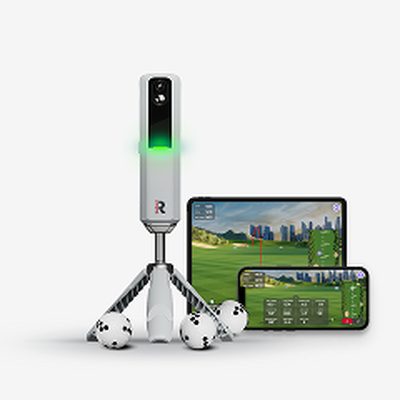
5. Blue Tees Golf Rainmaker — Best New Mid-Range Radar Pick

Price range: ~$600
Tech: Radar (Doppler)
Use case: Range, backyard, app integration, casual sim play

Blue Tees Golf, known for its popular rangefinders, has entered the launch monitor market with the Rainmaker. This portable Doppler radar unit offers a compelling blend of affordability and performance, providing key data metrics like ball speed, carry distance, and club speed. It integrates seamlessly with the Blue Tees LAUNCH App for visual feedback and tracking your progress.

While not designed for high-end simulator setups, the Rainmaker is an excellent option for golfers seeking reliable data for practice sessions at the range or in their backyard. Its user-friendly interface and connected app experience make it a strong contender in the mid-range radar category.

Where it wins: Price point for a radar unit, app integration, brand reputation.
Where it falls short: Less comprehensive data than premium photometric units, spin data is inferred.

Verdict: A solid choice for golfers looking for a capable and affordable radar-based launch monitor from a trusted brand.

Check price & availability for the Blue Tees Golf Rainmaker →


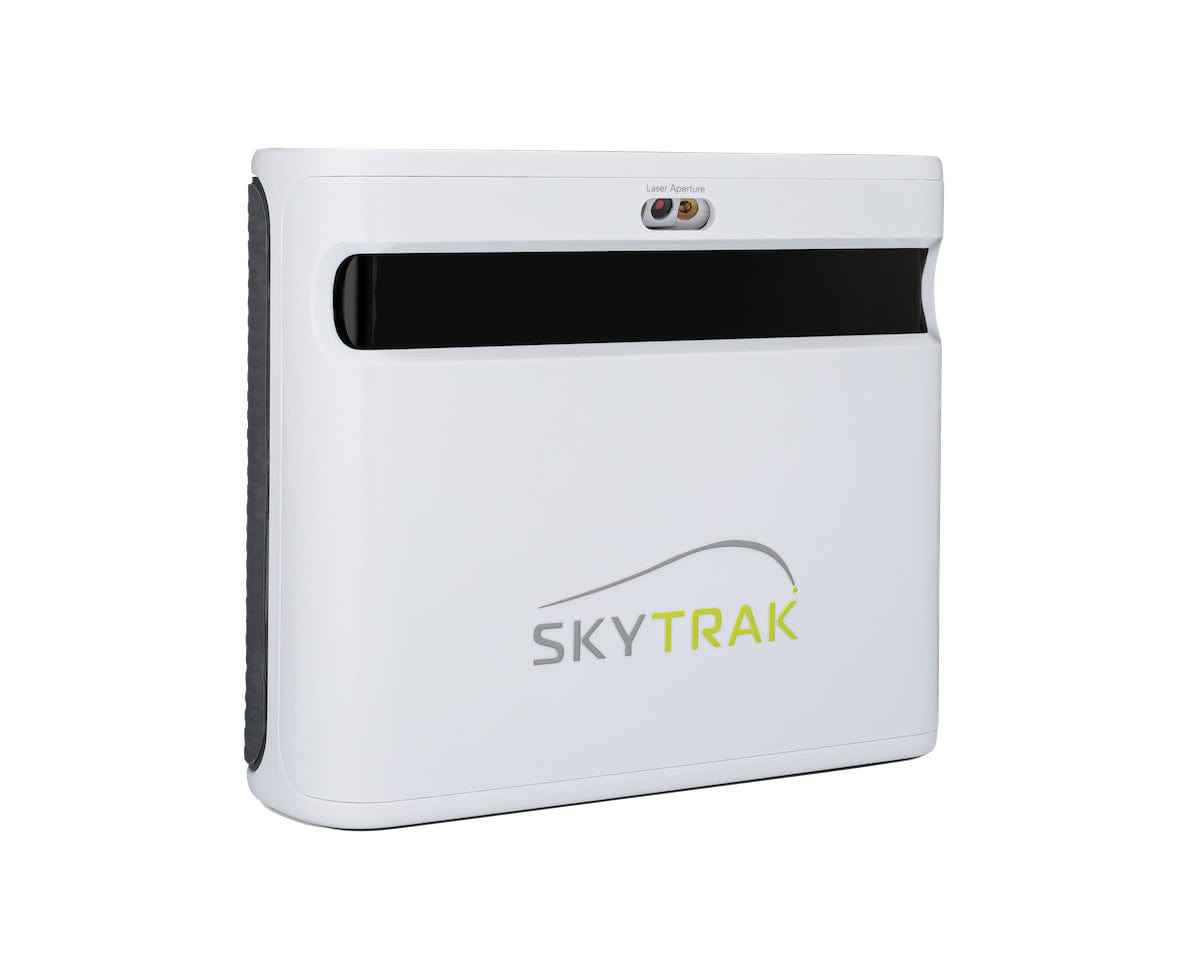
6. SkyTrak+ — Best for Home Simulators

Price range: $3,000–$3,500 (unit only)
Tech: Photometric (high-speed cameras)
Use case: Indoor simulator, serious home setup

Available at Indoor Golf Shop →

SkyTrak has been the home simulator standard for years, and the Plus model closes the gap with pro-level units in meaningful ways. Dual high-speed cameras capture the ball at impact, measuring spin rate, spin axis, launch angle, and ball speed with accuracy that radar units simply can't match indoors.

It plugs into WGT, TGW2K, Creative Golf 3D, and E6 Connect. The subscription model (separate from the hardware) is real — budget for it. But if you're building a real sim room, this is the unit to anchor it around.

Where it wins: Spin data accuracy, software ecosystem, indoor reliability, sim compatibility.
Where it falls short: Needs consistent lighting. Subscription adds to the real cost. Requires a mat and net/screen — not a range toy.

Verdict: The home simulator benchmark. If you're building a full setup, read our guide to the best indoor golf simulators before you commit. And check our full SkyTrak+ review — clearance pricing on the discontinued model makes it the best value indoor monitor in 2026.

→ Compare: SkyTrak+ vs Mevo+ | SkyTrak+ vs Garmin R10 | SkyTrak+ vs Rapsodo MLM2 Pro


7. Bushnell Launch Pro — Best Premium Value

Price range: $3,000–$3,500
Tech: Photometric (Foresight GC3 core)
Use case: Indoor simulator, serious amateur, club fitting

Available at Indoor Golf Shop →

The worst-kept secret in launch monitors: the Bushnell Launch Pro is essentially a rebranded Foresight GC3 at a lower price point. Same photometric sensor array. Same accuracy. Different shell, better price, and broader consumer availability.

It measures ball speed, launch angle, spin rate, spin axis, carry distance, side carry, and club data (with subscription). The accuracy on spin is exceptional — among the best you can buy without going full studio-tier.

Foresight's FS Golf app is included. FSX 2020 and E6 are available with add-ons. Setup is plug-and-play compared to piecing together a sim rig from scratch.

Where it wins: Accuracy-per-dollar ratio is best in class at this tier. The GC3 DNA is the real deal.
Where it falls short: Indoor-optimized. Not great as a portable range unit.

Verdict: If you're cross-shopping SkyTrak+ and Launch Pro, run the numbers on software costs and your preferred simulation platform — the hardware is similarly excellent.


7. Foresight GC3 — For When Good Enough Isn't

Price range: $7,000–$9,000
Tech: Photometric (triple camera array)
Use case: Teaching studio, club fitting, serious sim room

Three cameras. Ball and club data at impact. Sub-millimeter precision. This is what teaching pros and custom fitters use when they need numbers they'd bet their reputation on.

The GC3 measures everything — every ball parameter, every club parameter, captured from three angles simultaneously. It's overkill for the casual golfer. It's exactly right for someone building a serious studio or fitting bay.

Software ecosystem is the best available: Foresight's own FSX platform, E6, GS Pro, TGW2K. Updates are frequent and the hardware has a long service life.

Where it wins: Accuracy, club data, durability, software support.
Where it falls short: Price. It's a commercial-grade purchase.

Verdict: If you're asking whether you need this, you probably don't. If you know you need it, you already know.


Buying Guide: What Actually Matters

Radar vs. Photometric — Know the Difference

Radar units (Garmin R10, Rapsodo MLM2, Mevo+) use Doppler technology to track the ball in flight. They're great outdoors, portable, and work well in variable conditions. Spin accuracy is their weakness — radar infers spin from trajectory, it doesn't directly measure it.

Photometric units (SkyTrak+, Bushnell Launch Pro, GC3) use high-speed cameras to capture the ball microseconds after impact. Spin data is measured directly, not inferred. Accuracy is higher, especially for spin-heavy shots like wedges. Trade-off: they need consistent lighting and a defined hitting zone. They're indoor animals.

Which should you buy? If you practice mostly outdoors or at the range: radar. If you're building an indoor sim or want the most accurate data possible: photometric.

Data Points That Actually Help You Improve

Ball speed — the raw output of your strike. More ball speed = more distance. Period.

Launch angle — too low and you're leaving distance on the table. Too high and you're ballooning it. Knowing your actual launch angle is how you optimize loft.

Spin rate — driver spin is the #1 distance killer most amateurs ignore. Iron spin tells you if you're compressing the ball or flipping at it.

Club path + face angle — if you want to understand why you hit a fade or draw, these two numbers together tell the story. Worth paying for.

Carry distance — the actual number, not the "total with roll" vanity stat your playing partners quote.

Data Points That Sound Cool But Won't Help Much

  • Smash factor (ball speed ÷ club speed) — useful to confirm solid contact, not much beyond that
  • Descent angle — mostly for fitting discussions, not practice feedback
  • Spin axis — interesting, not actionable for most golfers
  • Dynamic loft — fitting metric, not practice metric

Do You Need Simulation Software?

If you're buying a monitor purely for data feedback at the range or backyard: no subscription needed. Garmin Golf app, Rapsodo's app — included with the hardware.

If you want to play virtual courses: yes, budget for software. E6 Connect runs ~$200–$500/year depending on plan. GS Pro is popular and affordable. Creative Golf 3D is underrated. This cost is real and often ignored in budget planning.

Before you buy any monitor, decide what software you want to run and verify compatibility. Not every monitor plays nicely with every platform.

Indoor vs. Outdoor Setup Realities

Backyard / garage: Radar works fine. You need 10–15 feet of clearance behind the ball for setup. Net, mat, and a way to see your data (tablet works).

Dedicated sim room: Photometric is worth the investment. Ceiling height matters (9 ft minimum, 10+ preferred). You'll want a quality impact screen and projector. Full breakdown in our simulator guide →

Range use: Stick to portable radar units. SkyTrak+ and Launch Pro don't belong in a bag at the driving range.

The Subscription Trap

Several monitors charge subscription fees for full data access. SkyTrak+ has tiered plans. Rapsodo requires a subscription for some features. Foresight locks club data behind a subscription.

Add up 3 years of subscription costs when comparing hardware prices. A $500 monitor with a $200/year subscription is more expensive over time than a $900 monitor with no subscription.

Not all subscriptions are bad — some (like SkyTrak's software bundles) add real value. Just know what you're buying before you buy it.


Still Not Sure? Use the Comparison Tool

Numbers are easier when they're side by side. We built a tool that lets you filter and compare every monitor on the specs that matter to you — price, tech type, data points, software compatibility, indoor/outdoor suitability.

→ Compare every launch monitor side-by-side

→ Head-to-head comparisons on our compare site — pick any two monitors and see specs, pros/cons, and a verdict.

And if you want a structured checklist to walk you through the decision before you spend anything:

→ Grab the free launch monitor buyer checklist

→ Read the complete buyer's guide with every price tier ranked

updatedAt: "2026-03-15"

FAQ

What is the best launch monitor for home use in 2026?

For most home users, the Garmin Approach R10 or Rapsodo MLM2 hit the sweet spot — affordable, portable, and accurate enough to actually improve your game. If you're serious about simulator play, step up to the SkyTrak+ or Bushnell Launch Pro.

What's the best golf launch monitor under $500?

The Garmin Approach R10 (around $500) and Rapsodo MLM2 (under $200) are the top budget picks. The Garmin gives you more data points; the Rapsodo pairs video with ball flight, which is uniquely useful for swing feedback.

SkyTrak+ vs Garmin R10 — which should I buy?

Depends on your goal. The Garmin R10 is a great data companion for the range or backyard — portable, battery-powered, strong app ecosystem. SkyTrak+ is a full simulator-grade unit: more accurate spin data, better simulation software compatibility, and built for indoor use. They're in completely different price ranges and serve different use cases.

Can I use a launch monitor outdoors?

Yes — most consumer units work outdoors. Radar-based monitors (Garmin R10, Rapsodo MLM2, FlightScope Mevo+) handle outdoor conditions well. Camera/photometric units (SkyTrak+, Bushnell Launch Pro) prefer covered or indoor environments where lighting is consistent.

Do I need a launch monitor for a home simulator?

The launch monitor IS the brain of your simulator. It captures your actual ball data and feeds it into the simulation software. Without an accurate one, your simulator is just a screen and a mat. If you're building a full sim setup, check our guide to the best indoor golf simulators.

What launch monitor data actually matters for improvement?

Ball speed, launch angle, and spin rate are the big three. Club path and face angle matter if you're trying to fix a shot shape. Carry distance is useful context. The rest — smash factor, spin axis, descent angle — are nice-to-have, not game-changers for most golfers.

Quick Comparison

Best Launch Monitor Paths Right Now

If you want useful data without overpaying, start with these three options.

Best Value

Rapsodo MLM2PRO

Serious data + app ecosystem at a mid-tier price.

Pros

  • Strong feature set
  • Great for home practice

Cons

  • Subscription for full features
  • Indoor setup needs care
Check Live Price

Most Complete

SkyTrak+

Deeper sim features and reliable indoor usage.

Pros

  • Sim-ready
  • Trusted accuracy

Cons

  • Higher total cost
  • Best with paid software
Check Live Price

Premium Pick

Garmin R10 / Bushnell LPi

Pick based on portability vs fixed sim use.

Pros

  • Portable options available
  • Good ecosystem support

Cons

  • Can get expensive fast
  • Model fit matters
Check Live Price

We may earn a commission from links on this page. Disclosure

Frequently Asked Questions

What is the best launch monitor for home use in 2026?

For most home users, the Garmin Approach R10 or Rapsodo MLM2 hit the sweet spot — affordable, portable, and accurate enough to actually improve your game. If you're serious about simulator play, step up to the SkyTrak+ or Bushnell Launch Pro.

What's the best golf launch monitor under $500?

The Garmin Approach R10 (around $500) and Rapsodo MLM2 (under $200) are the top budget picks. The Garmin gives you more data points; the Rapsodo pairs video with ball flight, which is uniquely useful for swing feedback.

SkyTrak vs Garmin R10 — which should I buy?

Depends on your goal. The Garmin R10 is a great data companion for the range or backyard — portable, battery-powered, strong app ecosystem. SkyTrak+ is a full simulator-grade unit: more accurate spin data, better simulation software compatibility, and built for indoor use. Budget $500 for R10 vs $3,000+ for SkyTrak+.

Can I use a launch monitor outdoors?

Yes — most consumer units work outdoors. Radar-based monitors (Garmin R10, Rapsodo MLM2, FlightScope Mevo+) handle outdoor conditions well. Camera/photometric units (SkyTrak+, Bushnell Launch Pro) prefer covered or indoor environments where lighting is consistent.

Do I need a launch monitor for a home simulator?

The launch monitor IS the brain of your simulator. It captures your actual ball data and feeds it into the simulation software. Without an accurate one, your simulator is just a screen and a mat. If you're building a full sim setup, check our guide to the best indoor golf simulators.

What launch monitor data actually matters for improvement?

Ball speed, launch angle, and spin rate are the big three. Club path and face angle matter if you're trying to fix a shape. Carry distance is useful context. The rest — smash factor, spin axis, descent angle — are nice-to-have, not game-changers for most golfers.

Join the conversation

No comments yet

Newsletter

Free: 2026 Launch Monitor Buyer Checklist

Get the exact checklist we use to pick launch monitors by budget, indoor accuracy, software fees, and total setup cost.

Free, every Thursday. Unsubscribe anytime.