Decision guide
Decision shortcuts before the deep dive.
Use these three checks to keep the article useful instead of turning into another tab graveyard.
Start here
Pick by golfer problem
Match the recommendation to the miss you are actually trying to fix: budget, forgiveness, distance, walking comfort, or setup friction.
Trust check
Read the tradeoffs first
Bogeylicious should surface the “don’t buy this if…” caveat before the retailer click, even when the pick is solid.
Next click
Compare the closest alternatives
When the article puts you in shopping mode, the next module should help you compare or save the decision — not just dump more links.
Browse Launch Monitor Comparisons →For many golfers, the idea of owning a home golf simulator seems like a distant, multi-thousand-dollar dream. Visions of dedicated rooms, professional installations, and five-figure price tags often deter those on a budget. But what if you could build a high-performing, complete home golf simulator setup for under $5,000? You can.
Thanks to rapid advancements in launch monitor technology and a booming DIY community, it's more affordable than ever to bring the golf course into your home. This guide focuses on maximizing your budget to create a robust, game-improving indoor setup without compromising on essential accuracy or realism.
We'll walk you through the best launch monitors, screens, mats, and software that deliver incredible value, ensuring every dollar spent helps you hit better shots and play more golf.
The Anatomy of an Affordable Home Golf Simulator
Before diving into specific picks, let's break down the core components of any home golf simulator, especially when budgeting:
- The Launch Monitor (25-50% of budget): This is the most crucial piece. It captures your ball and club data. For under $5,000, you'll typically look at mid-range radar or photometric units that offer excellent accuracy for their price.
- The Hitting Enclosure/Net (15-30% of budget): This is where you hit the ball. Options range from simple nets to full screen enclosures that allow for projection.
- The Hitting Mat (10-20% of budget): Don't cheap out here. A good mat protects your joints and provides a realistic turf interaction.
- Software (5-15% of budget): This translates your data into virtual golf courses, driving ranges, and analytical reports. Some come bundled, others are a one-time or subscription cost.
- Projector (Optional, 10-25%): If you opt for a screen, a short-throw projector brings the course to life. Many budget setups start without one, using a tablet or TV.
Best Complete Home Golf Simulators Under $5,000
Here are our top recommendations for full setups that deliver incredible performance and value within your budget:
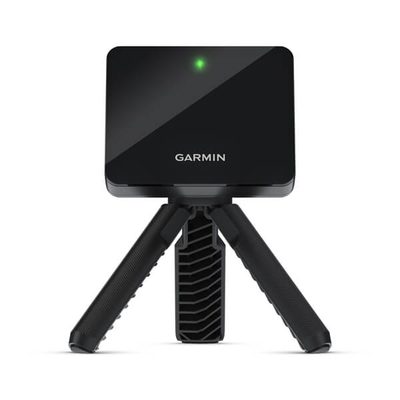
1. The "Data-Driven Beginner" — Garmin R10 + Net + GSPro (Total: ~$1,000 - $1,500)
This setup is the ultimate entry point for golfers who want to experience data-driven practice and virtual golf without a huge upfront investment. It prioritizes the core launch monitor and software.
- Launch Monitor: Garmin Approach R10 (~$600)
- Why it wins: Excellent value, tracks key ball and club metrics, works indoors/outdoors, connects to Garmin Golf app (43,000+ courses).
- Hitting Solution: Callaway Home Range Net (~$150) or a similar large hitting net.
- Why it wins: Affordable, easy to set up, catches balls reliably.
- Hitting Mat: FairwayPro Golf Hitting Mat (~$200-300) or similar quality entry-level mat.
- Software: GSPro (one-time $250) + Garmin Golf App (free).
- Why it wins: GSPro offers unmatched course variety and realism for its price, transforming the R10 into a true simulator. Garmin app for basic range practice.
- Optional Upgrade: Connect to a TV or monitor via HDMI from your laptop for a bigger display instead of a projector.
Best for: Newcomers to simulator golf, budget-conscious players, those with limited space, or anyone validating their interest before a bigger investment. This setup provides genuine analytical feedback for game improvement.
Check Price for Garmin R10 on Amazon
2. The "Serious Practicer" — FlightScope Mevo Plus (Gen 2) + Screen + GSPro (Total: ~$3,000 - $4,500)
This is the sweet spot for serious amateur golfers who want accuracy, versatility, and an immersive simulation experience without jumping to the tour-grade price points. It offers a significant step up in data confidence and software integration.
- Launch Monitor: FlightScope Mevo Plus (Gen 2) (~$2,000)
- Why it wins: 3D Doppler radar provides 16+ accurate ball and club metrics, works flawlessly indoors and outdoors, widely compatible with all major simulator software.
- Hitting Solution: Carl's Place DIY Golf Enclosure (basic size) with a standard impact screen (~$500 - $1,000).
- Why it wins: Durable, provides a projection surface, customizable sizes, good value for an enclosure.
- Hitting Mat: Country Club Elite Hitting Strip (
$200) or a 5x5ft Fiberbuilt mat ($400-500). - Software: GSPro (one-time $250) + E6 CONNECT (optional subscription).
- Optional Upgrade: A decent short-throw projector (e.g., Optoma GT1090HDR for $700-1,000) will bring this setup close to the $5,000 mark but elevate the visual experience dramatically.
Best for: Dedicated golfers seeking reliable data for game improvement, those who want to practice both indoors and outdoors, and players looking for a true simulator experience with realistic course play.
Check Price for FlightScope Mevo Plus on Amazon
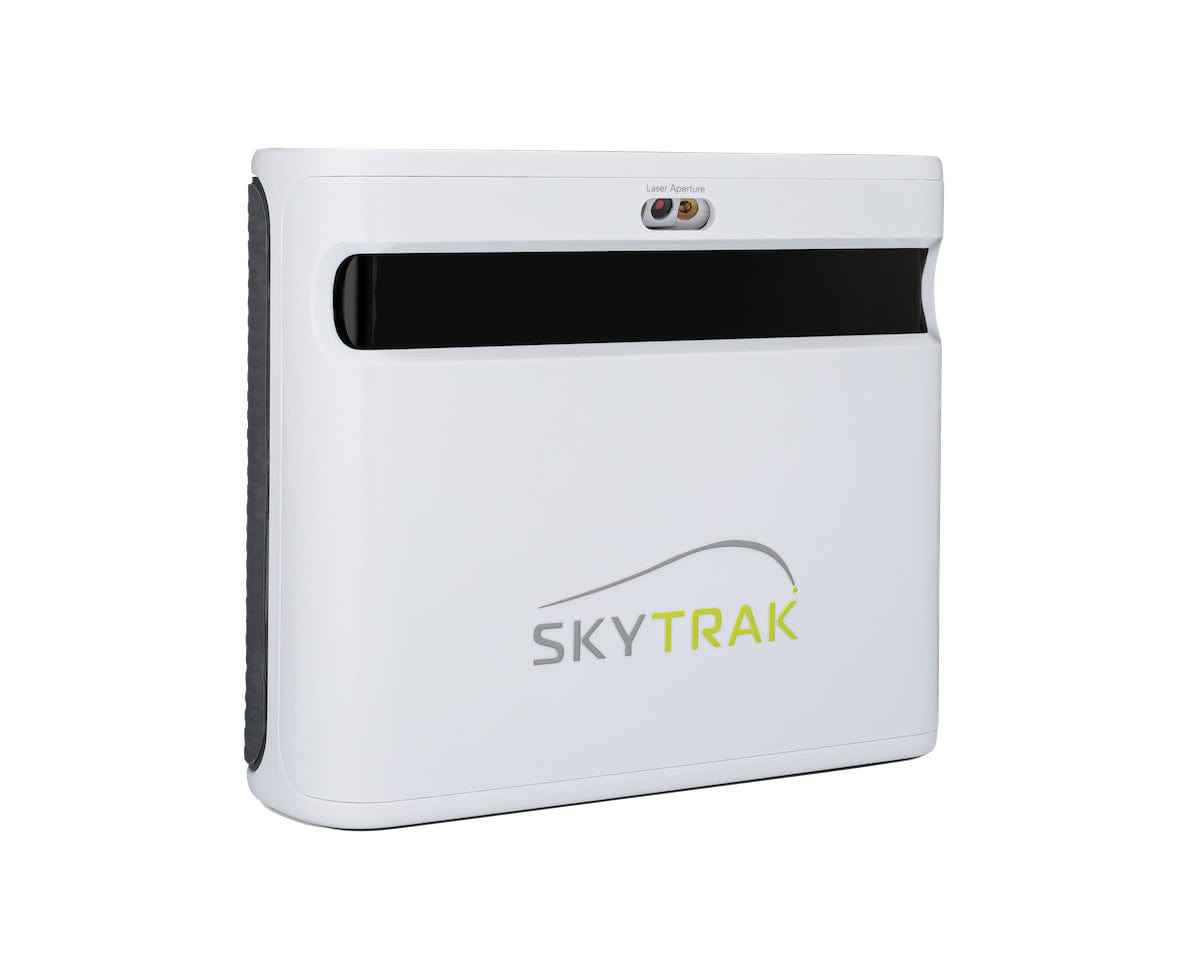
3. The "Indoor Specialist" — SkyTrak+ + Screen + Software (Total: ~$4,000 - $5,000)
If your primary goal is a dedicated indoor simulator room with exceptional ball data accuracy, the SkyTrak+ offers a camera-based solution that excels in contained spaces. This setup is built for consistent indoor performance.
- Launch Monitor: SkyTrak+ (~$2,995, often on clearance for $1,995-$2,495)
- Why it wins: Dual high-speed cameras provide extremely precise ball data (spin, speed, launch) at impact, club data included, works great in short indoor spaces. Supports Mac and PC.
- Hitting Solution: Carl's Place DIY Golf Enclosure (basic size) with a standard impact screen (~$500 - $1,000).
- Why it wins: As above, a reliable and durable enclosure for projection.
- Hitting Mat: Fiberbuilt Flight Deck or similar premium hitting mat (~$300 - $500).
- Software: SkyTrak+ Play & Improve Plan ($199/year) or GSPro (one-time $250) if compatible via third-party bridges.
- Optional Upgrade: A short-throw projector is highly recommended for this setup to take full advantage of the impact screen, pushing the total closer to $5,000.
Best for: Golfers building a permanent, indoor-only simulator room, those prioritizing exact ball data accuracy in a limited space, and players who value the camera-based reliability for consistent indoor practice.
Check Price for SkyTrak+ on Amazon
Essential Components Explained (Budget Focus)
Launch Monitors (The Brain)
- Garmin R10: The undisputed champion of budget golf. Expect some spin inconsistencies, but the sheer amount of data for the price is unmatched. Works best with a few feet of ball flight before impact and a clean setup area. Check Price
- FlightScope Mevo Plus (Gen 2): A significant step up. Offers tour-level ball data accuracy and genuinely useful club data. Its radar technology works indoors and out, making it versatile. Worth the investment if you're serious. Check Price
- SkyTrak+: Excellent indoor ball data, especially spin. Camera-based, so it excels in shorter indoor spaces. The club data is a welcome addition over the original SkyTrak. Often available at clearance prices, making it a strong contender. Check Price
Hitting Nets & Enclosures
For under $5,000, an enclosure from Carl's Place or The Net Return offers the best value for a screen-based setup. For simple net-only solutions, a Callaway Home Range Net or Spornia SPG-7 are excellent, durable choices.
Hitting Mats
Don't skimp on your mat. Brands like Fiberbuilt, Country Club Elite, and TrueStrike offer realistic feel and joint protection. A good 5x5 foot mat can cost $300-$500, but it's worth every penny.
Software
GSPro is hands down the best value. A one-time purchase unlocks thousands of courses and realistic physics. E6 CONNECT is a more polished, subscription-based alternative. Many launch monitors include basic software, but for the full simulator experience, a dedicated platform is key. Discover the Best Golf Analytics Software.
Projectors (Optional)
While not strictly necessary for an entry-level setup (you can use a tablet or TV), a short-throw projector dramatically enhances the immersion. Look for 1080p resolution and at least 3,000 lumens. The Optoma GT1090HDR is a popular choice, often available for $700-$1,000.
Space Requirements: Measure Twice, Buy Once
- Width: Minimum 10 feet. You need room to swing freely, especially with a driver.
- Depth: Minimum 10-12 feet (ball to screen/net). Some radar units need 6-8 feet behind the ball, adding to depth.
- Height: Minimum 9 feet. Taller is always better. Eight-foot ceilings are borderline for drivers for most golfers.
The Bottom Line
Building an affordable home golf simulator for under $5,000 is not only possible but highly rewarding. By carefully selecting your launch monitor and other components, you can create a powerful practice and play environment that will dramatically improve your game and extend your golf season year-round.
Whether you opt for the budget-friendly Garmin R10 setup or invest in the more advanced FlightScope Mevo Plus or SkyTrak+ systems, the key is to get started. The data feedback, virtual course play, and sheer enjoyment you'll gain will quickly justify the investment.
Related Articles
- Best Launch Monitors 2026: The Complete Buyer's Guide
- Best Home Golf Simulators 2026: Complete Setups From $600 to $15K
- Best Golf Analytics Software: Unlock Your Game's Data & Lower Your Scores
- Launch Monitor Buyer Checklist 2026
- How to Practice Golf at Home
Methodology
Methodology: roundup rankings are organized around weekend-golfer reality, weighing value, forgiveness, usability, and who each option actually helps.
Last verified
March 29, 2026
Shown only when the article carries a real update timestamp.
Join the conversation
No comments yet